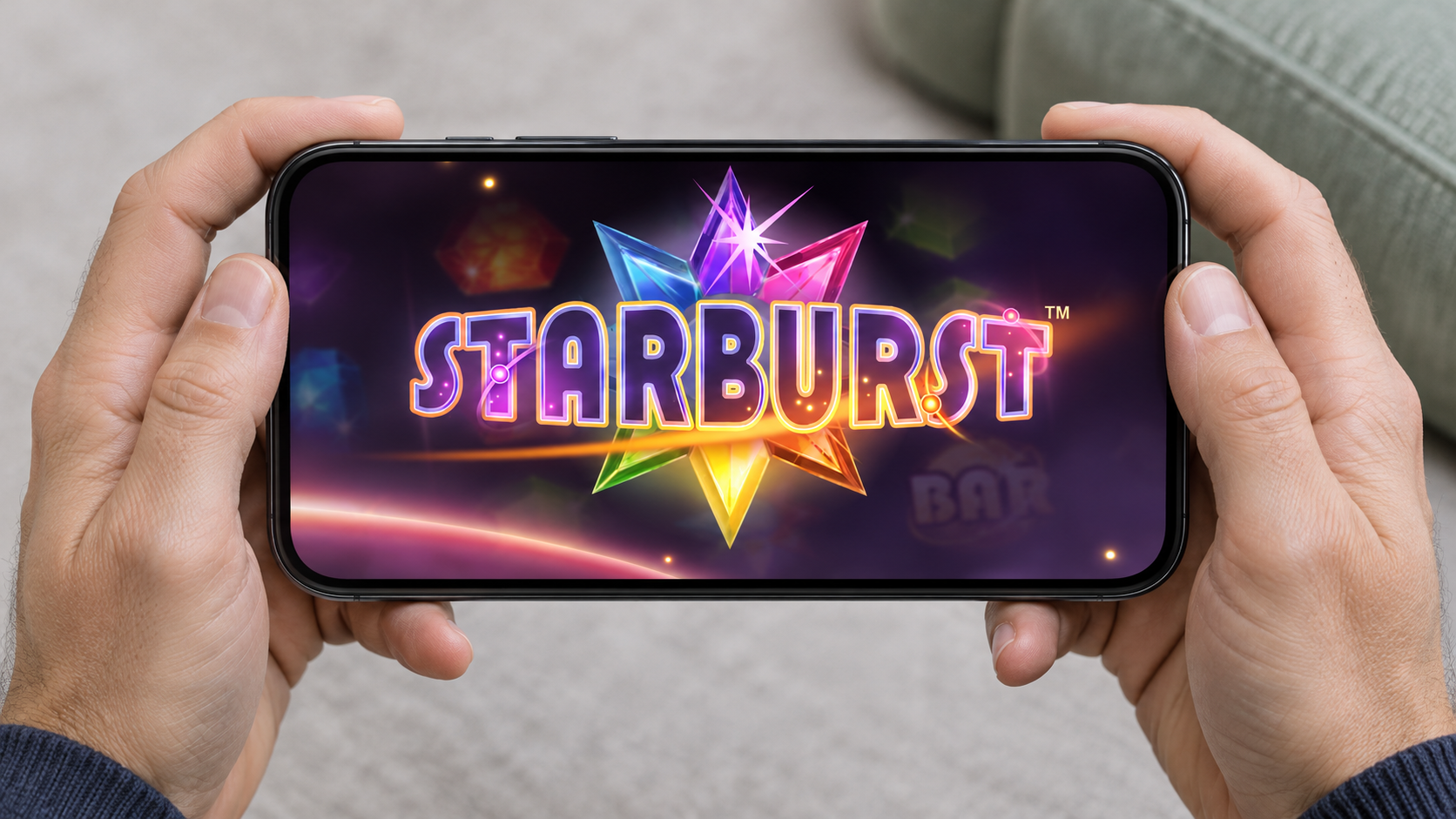
Playing slots on your phone is nice, but let's face it: some games look pretty cramped on a small screen. The reels take up most of the space, the buttons get in the way, and sometimes you can barely see what's happening during a bonus round. That's where the landscape mode can help. Turn your phone sideways and you've got more room to enjoy the game. Sounds better, right? Well, it depends on which slot you're playing.
So, what are the best mobile slots for landscape mode? I've narrowed things down to five games, including a few familiar names and some with rather unusual reel layouts. And I'll tell you where I think landscape mode is genuinely useful, because a wider screen isn't always the answer.
Best Mobile Slots to Try in Landscape Mode
Starburst - A Little More Room for the Gems
You probably know Starburst already. It's that NetEnt game with brightly coloured gems and wild symbols that expand across the middle three reels.
There are only ten paylines, and the main attraction is watching those wilds trigger respins. You won't find a complicated free spins round or a dozen different bonus features.
That's why Starburst works quite nicely on a phone. There isn't much competing for your attention.
In landscape mode, the five reels can spread across more of the screen. The gems become easier to distinguish, although the spin button sometimes sits a little too close to the playing area.
I'd choose Starburst when I want a game that's easy to follow without constantly worrying what each symbol does. Turning the phone sideways makes the presentation a little more comfortable, but it isn't the main thing.
Gonzo's Quest - When the Screen Gets Busy
Gonzo's Quest is where things start moving.
Instead of reels spinning in the usual way, stone blocks fall into a grid. Winning combinations disappear, and more blocks tumble down to replace them. NetEnt calls this the Avalanche feature.
One spin can therefore produce several wins, with the multiplier increasing as the chain continues.
And Gonzo? He's standing right beside the action, celebrating when the stones line up and looking rather miserable when they don't.
Now you've got two things to watch: the changing grid and the character reacting beside it. That's where a wider screen earns its place. You can follow the Avalanches without Gonzo and the controls crowding the stones.
It's also a good example of why landscape mode isn't just about making symbols bigger. Sometimes you just want to see more of the game at once.
The graphics show their age a little, but the falling blocks still give Gonzo's Quest a personality of its own.
Book of Dead - Bringing the Desktop Layout to Your Phone
Book of Dead is probably the closest of these five to a traditional desktop slot.
You've got five reels, Egyptian symbols and Rich Wilde looking for treasure. Three Book symbols unlock free spins, where one randomly selected symbol can expand across entire reels.
Nothing particularly difficult to learn.
What I like about its landscape layout is how naturally the controls fit beside the reels. You get something close to the arrangement you'd expect on a computer, rather than a tall mobile interface with buttons underneath everything.
Some versions also let you change which side the spin button appears on. A small detail, perhaps, but useful if you normally play with your left hand.
Would I turn my phone sideways just for Book of Dead? Probably, if I were used to its desktop layout. Otherwise, portrait works perfectly well too.
Book of Buffalo - More Reels, Less Room?
Book of Buffalo raises an interesting problem: it starts with five reels and three rows, but the grid can grow to seven rows during bonus features. That also increases the number of paylines from ten to fifty.
Sounds impressive, but imagine fitting seven rows onto a phone held sideways. You've gained width, yet the screen has become much shorter.
Suddenly, portrait mode doesn't seem like such a bad idea.
Book of Buffalo has some thoughtful mobile controls, including left-handed button placement. But I wouldn't say that landscape is the better option without checking how the expanded grid appears on your device.
If your version supports both orientations, compare them during the bonus. The one that lets you see all seven rows clearly gets my vote.
Big Bass Hold & Spinner Megaways - Can You See Everything?
This one has a lot going on, even by modern slot standards.
Big Bass Hold & Spinner Megaways combines six main reels with additional rows above them. There are tumbling wins, fish carrying cash values and a Hold & Spin feature involving coins and diamonds.
It's easy to see why screen space matters here.
The difficulty is that the extra reel rows sit above the main grid. A landscape layout might give the controls more breathing room, but it also leaves less height for those stacked reels.
And landscape support isn't guaranteed across every mobile version.
If yours rotates, I'd pay attention to the upper part of the screen. Can you read the fish values? Can you follow what's happening above the main reels? If those details become difficult to see, I'd go back to portrait.
Can You Play Landscape Slots on iPhone and Android?
Yes. Both iPhone and Android can display the games horizontally, and you can usually play straight from a mobile browser without downloading a casino app.
The game needs to support rotation, though. Some slots switch layouts automatically, while others are designed to stay upright.
If nothing changes when you turn your phone, check whether screen rotation is locked. On iPhone, you'll find Portrait Orientation Lock in Control Centre. Android usually has an Auto-rotate setting in Quick Settings.
Is Landscape Mode Better Than Portrait?
More width, or more height?
Landscape: room across
Worth comparing when the reels, controls and side characters compete for space.
Portrait: room upwards
Worth comparing when extra rows or an expanding grid need more height.
For some games, definitely. A wide reel layout can be easier to follow, and having the controls beside the playing area may feel more comfortable.
But I'd judge each game on what you can actually see. Book of Buffalo's expanding grid, for example, might benefit from the extra height of portrait mode.
And whichever way you hold your phone, the game's RTP, volatility and chances of winning stay exactly the same.
FAQ
Can Every Mobile Slot Be Played Sideways?
No. Some slots support both orientations, while others have a fixed portrait layout. It depends on the game and the version offered by your casino.
Do I Need to Download an App?
Usually not. Many mobile casino slots run in Safari, Chrome and other browsers. Landscape mode works there too, provided the game supports it.
Which Game Would I Start With?
Starburst would be my first choice for a simple layout. Gonzo's Quest is more interesting if you enjoy moving symbols, while Book of Dead offers a familiar desktop-style experience on your phone.

- Best Mobile Slots for Landscape Mode - November 7, 2026
- 10 Football Slots for World Cup 2026 – chosen by experts (Free Demos) - July 1, 2026
- Best 7 Cluster Pays Slots UK – Free Demo Picks - August 24, 2026